Here you can find Step-by-Step guide how to connect to the VPN with the iOS.
Step-by-Step guide
Install application
Open App Store, find and install
Streisandapplication, or open direct link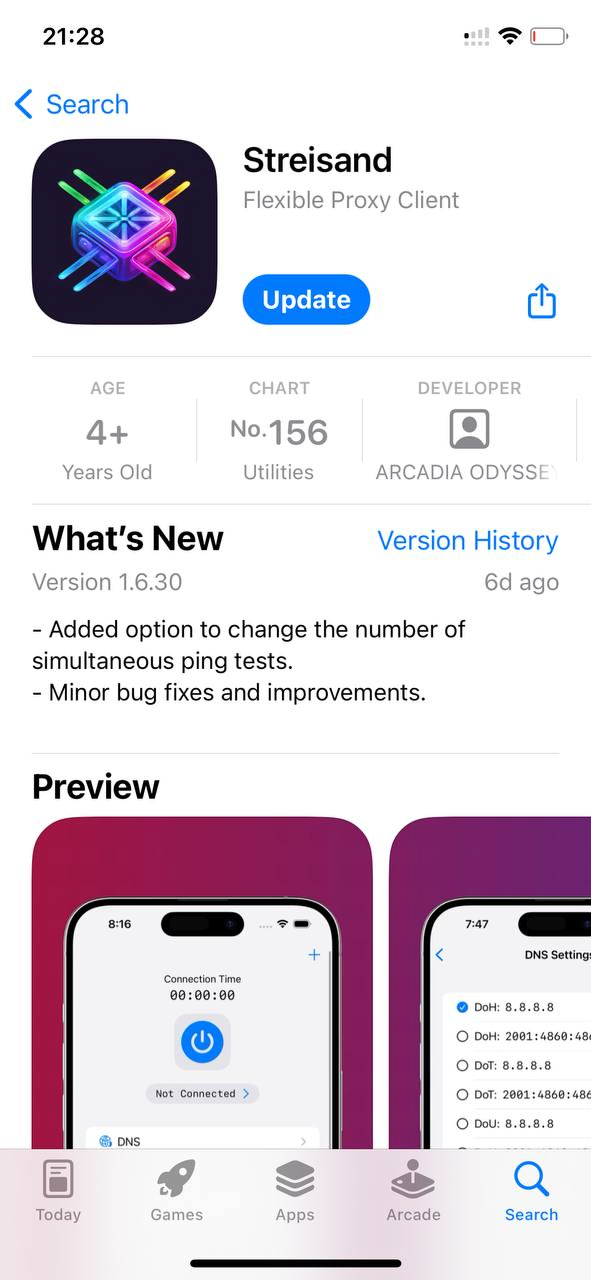
Streisand application in App Store
Launch application
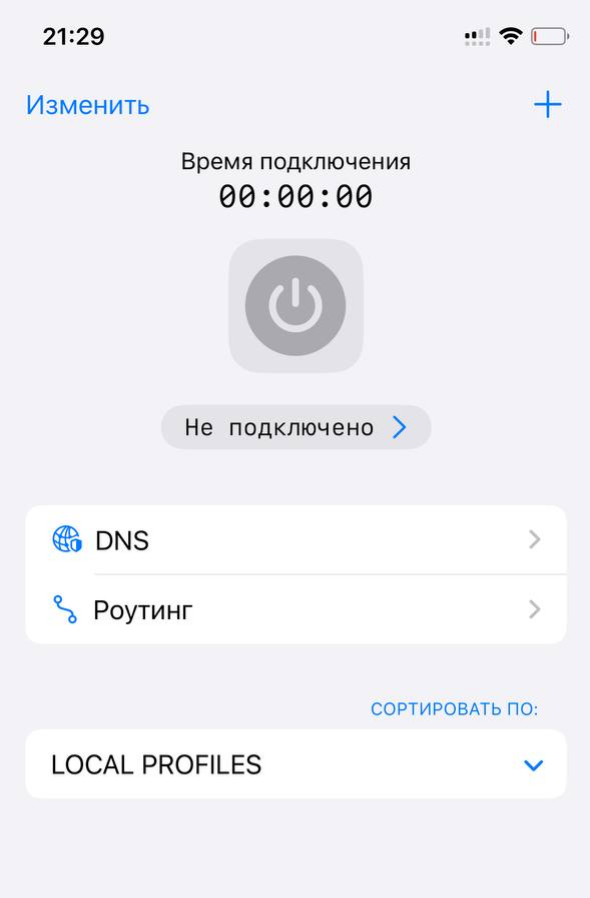
Streisand application interface
Import profile
- Copy subcription link to the clipboard.
The subscription link is in the email and is available from your client area, select your service and click the
Instructionsbutton.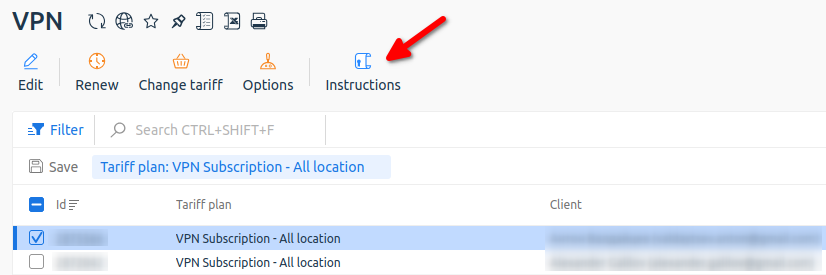
Getting instructions from your client area
Please note: You do not need to copy the subscription content, only the link is required for import.
- Click
+and selectPaste from clipboard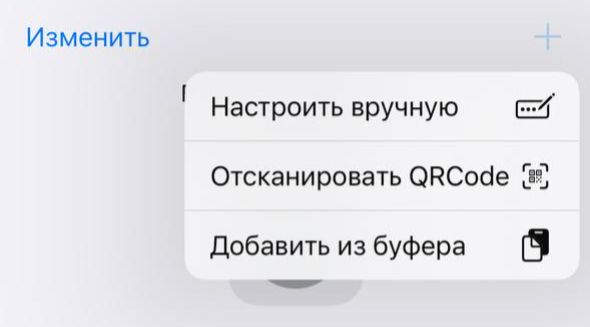
Subscription import into Streisand
Connect to server
Select VPN location and click connect button on top.
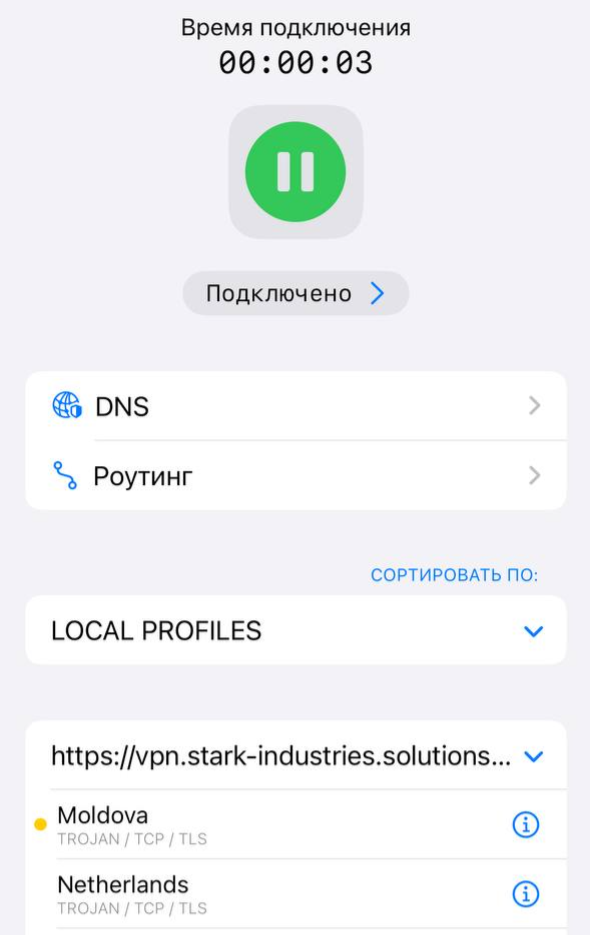
Select VPN server to connect
When you first connect, you will need to give permission to the application to create a VPN connection.
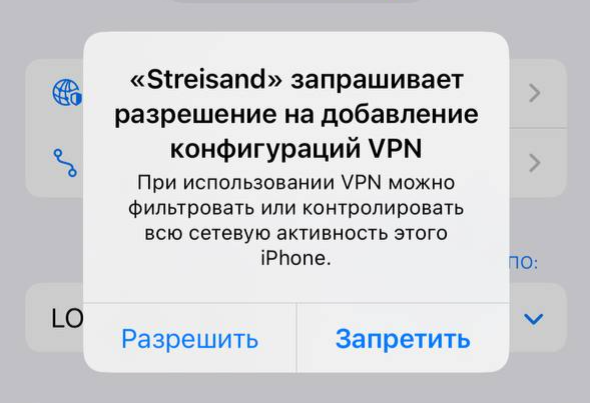
First connection to VPN
To check if your VPN is working, you can open: https://www.whatismyip.com/
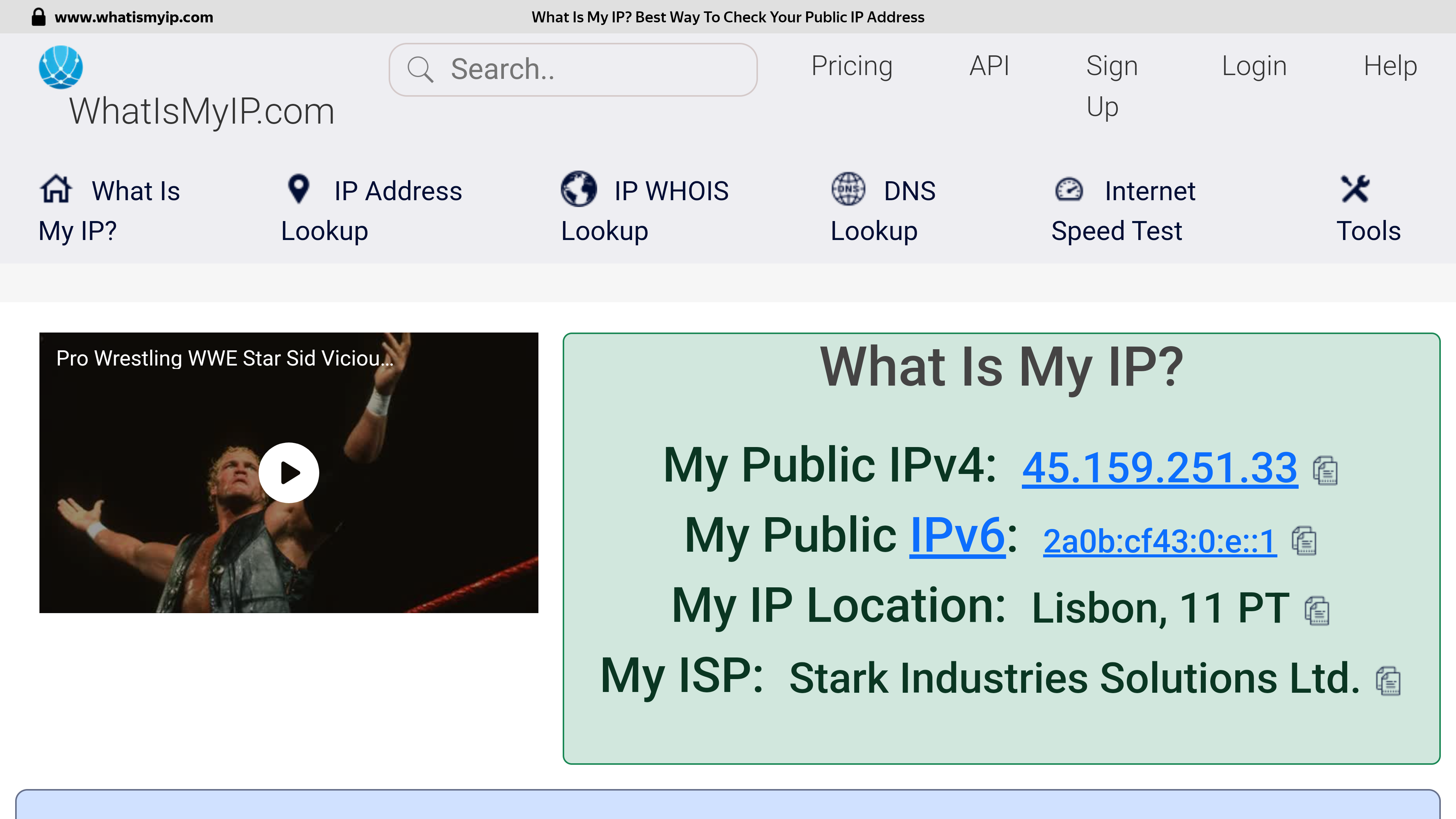
Checking the address after connecting to a VPN server in Portugal
If successful, you should see that your connection is going through another country.
Please note: The speed is affected by the geographical distance from the VPN server, the trunk channels between the check points, the current channel load at your Internet provider and the VPN server, the tariff plan of your Internet connection and other factors that cannot be influenced from the outside.
If selected location is unstable, just try to select another one to get optimal internet access.

Result of speedtest Moldova -> Netherlands: https://www.speedtest.net/result/16618694682