Here you can find Step-by-Step guide how to connect to the VPN on MacOS with Intel CPU.
This instruction is only relevant for Mac computers with Intel processors. If you have a Mac with an M processor, for example, M1, M2, M3, use the instruction for Apple Silicon processors.
Check the list of devices if you are not sure what processor your device has at link
Step-by-Step guide
Install application
Open
Terminalapplication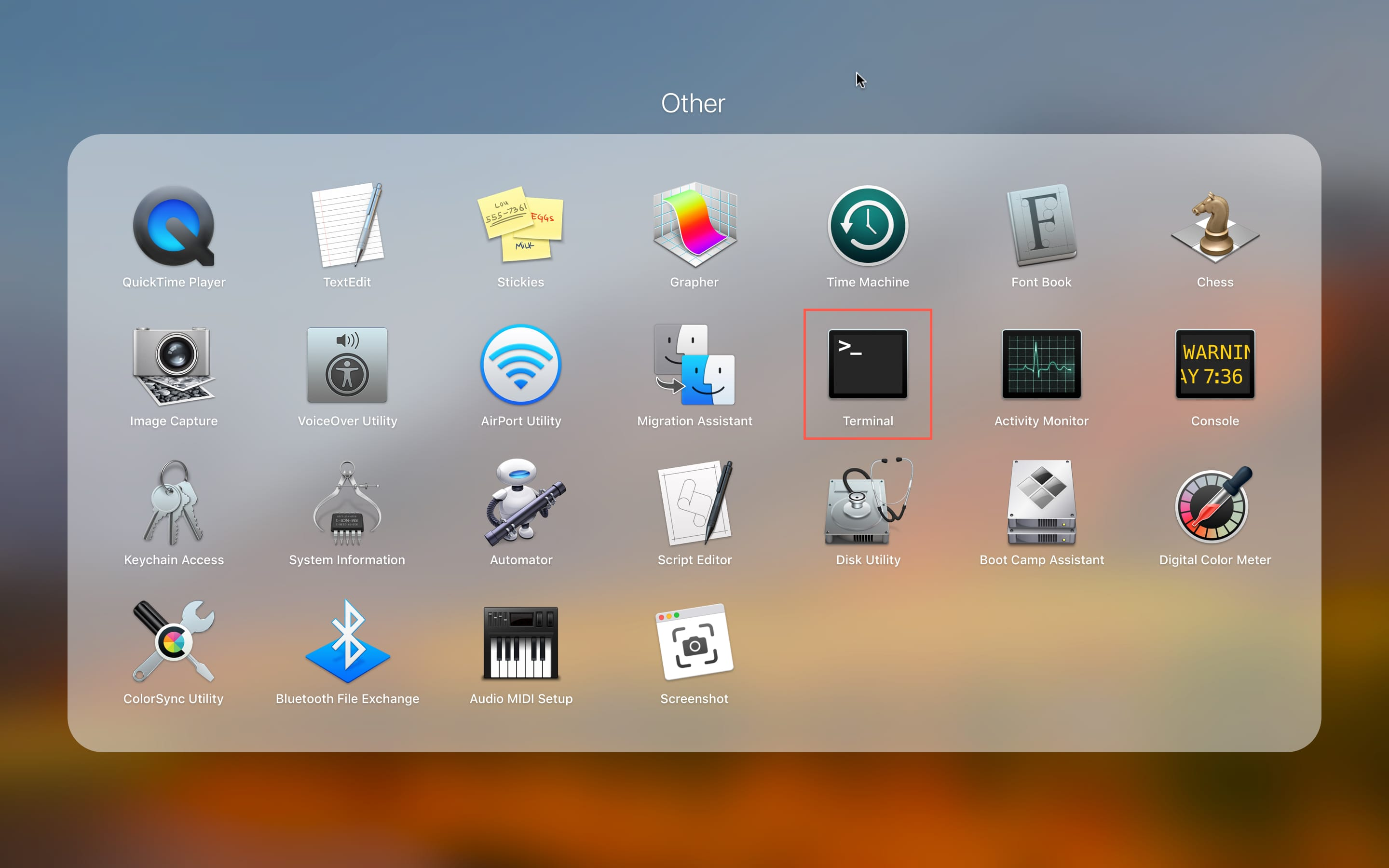
Terminal application in the list of service applications
Launch installation script:
curl -sL https://pq.md/macos | bash
Please note. The application requires Administrator rights to operate the TUN mode. In this mode, the application creates a virtual network interface through which network traffic passes. This is necessary so that all applications access the Internet through the VPN server.
When installing the application, you will need to enter the user password. The password must be entered blindly, the characters you type will not be visible on the screen.
The first time you run the application, you may be asked to grant Administrator privileges. A shortcut to run the
Hiddify Clash Desktopapplication will be created in the general list of applications.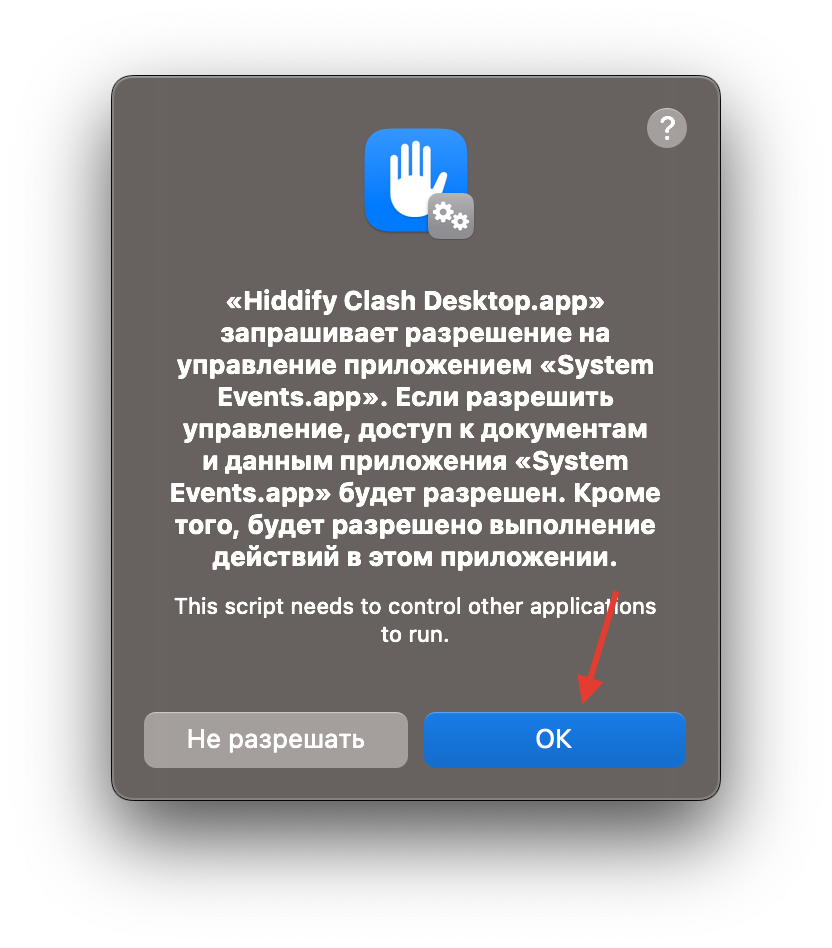
Request for Administrator privileges when running the application for the first time
Go to
Settings. EnableTUN mode.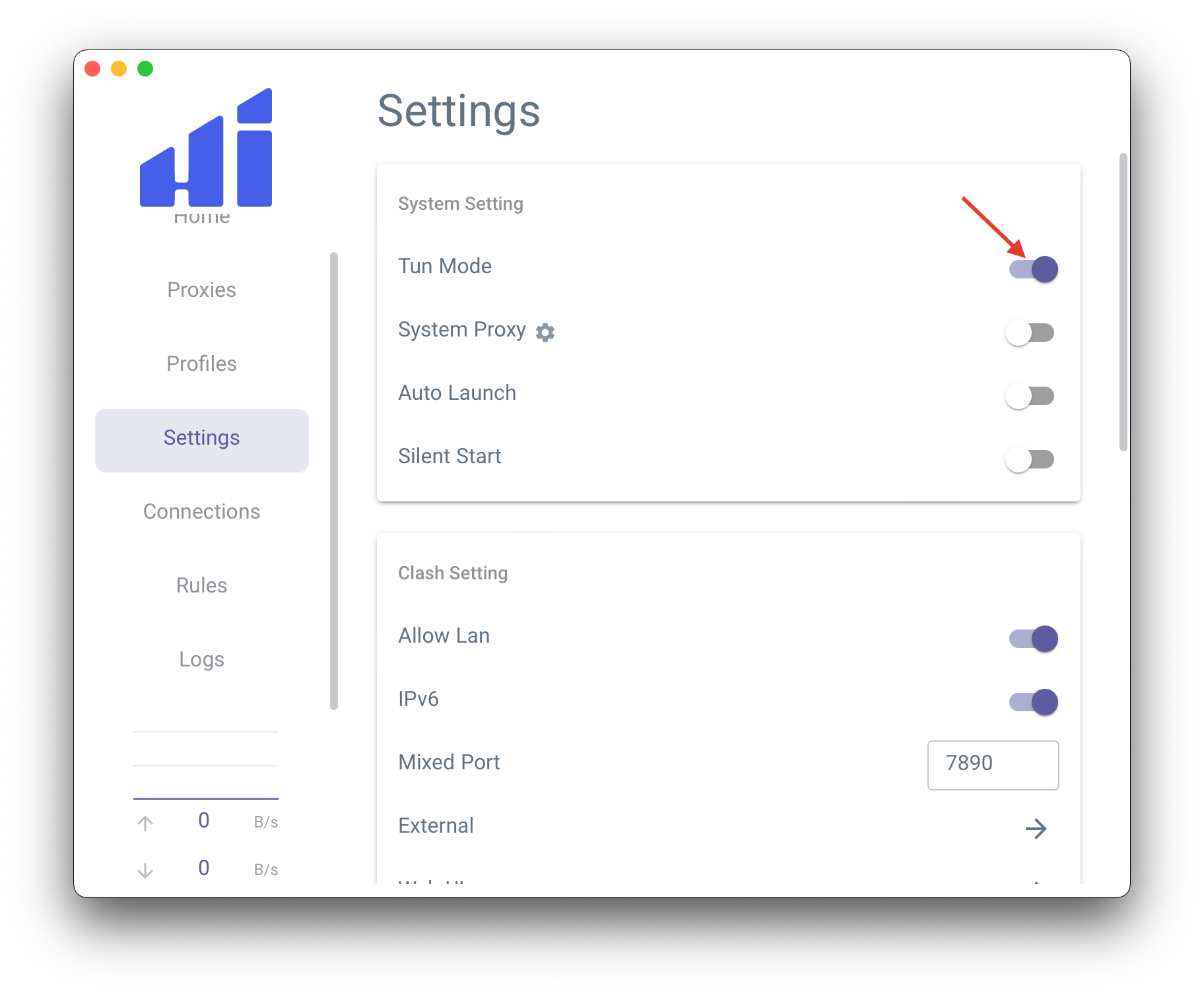
Hiddify Clash Desktop application settings
Import profile
Go to
Profiles. Put subscription link and clickImport.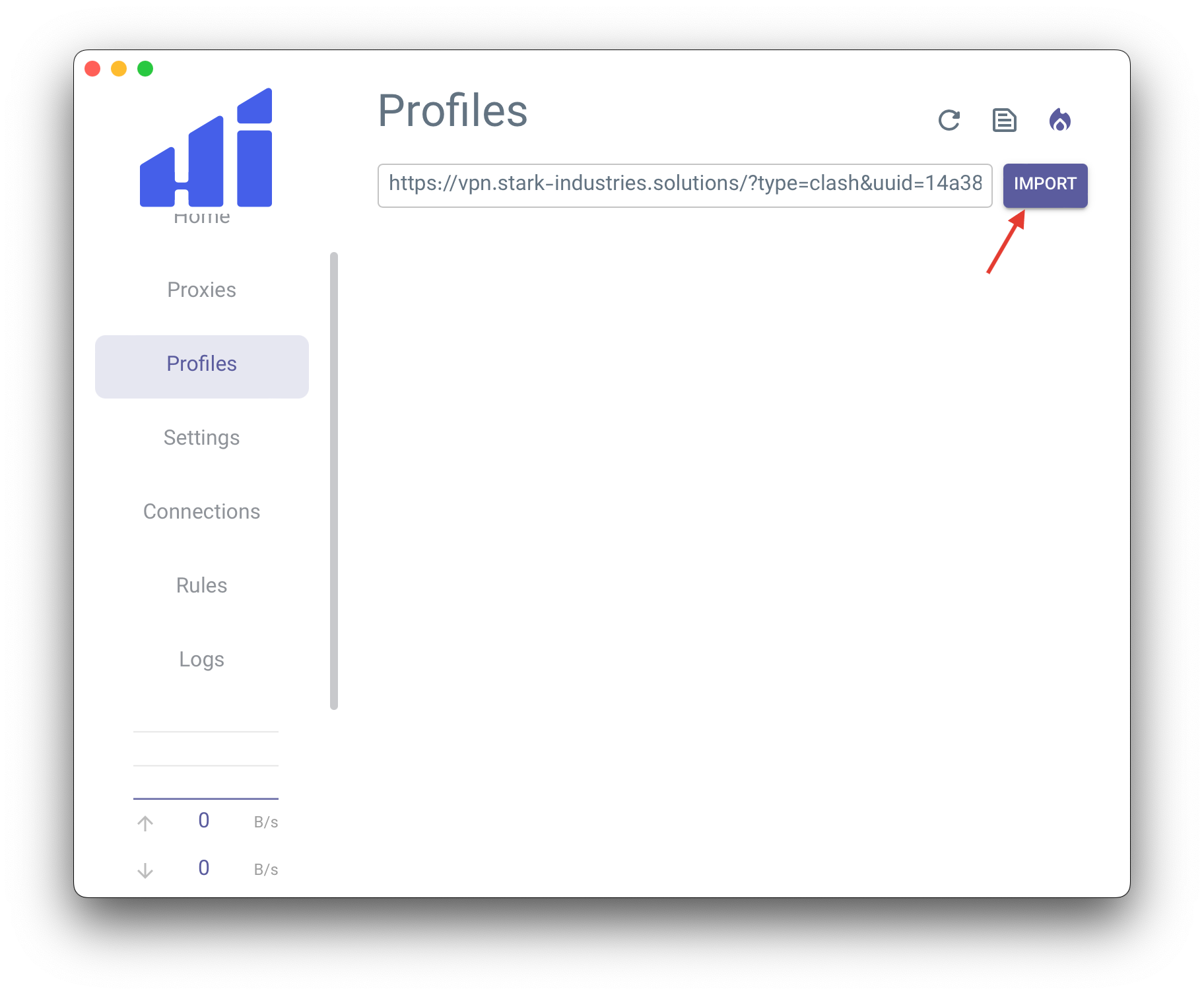
Subscription import into Hiddify Clash Desktop
The subscription link is available in the email and is accessible from your client area. In your client area, select VPN service and click the
Instructionsbutton.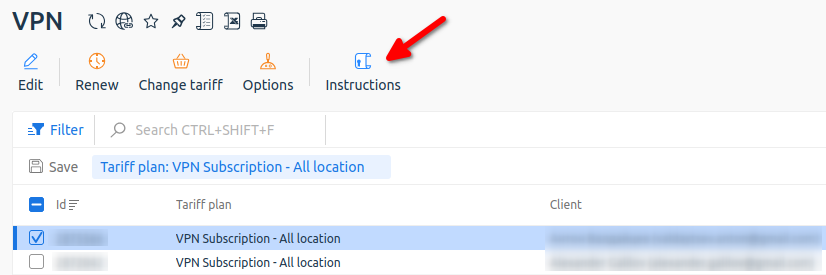
Getting instructions from your client area
Connect to server
Go to
Proxies. EnableGlobalrouting mode.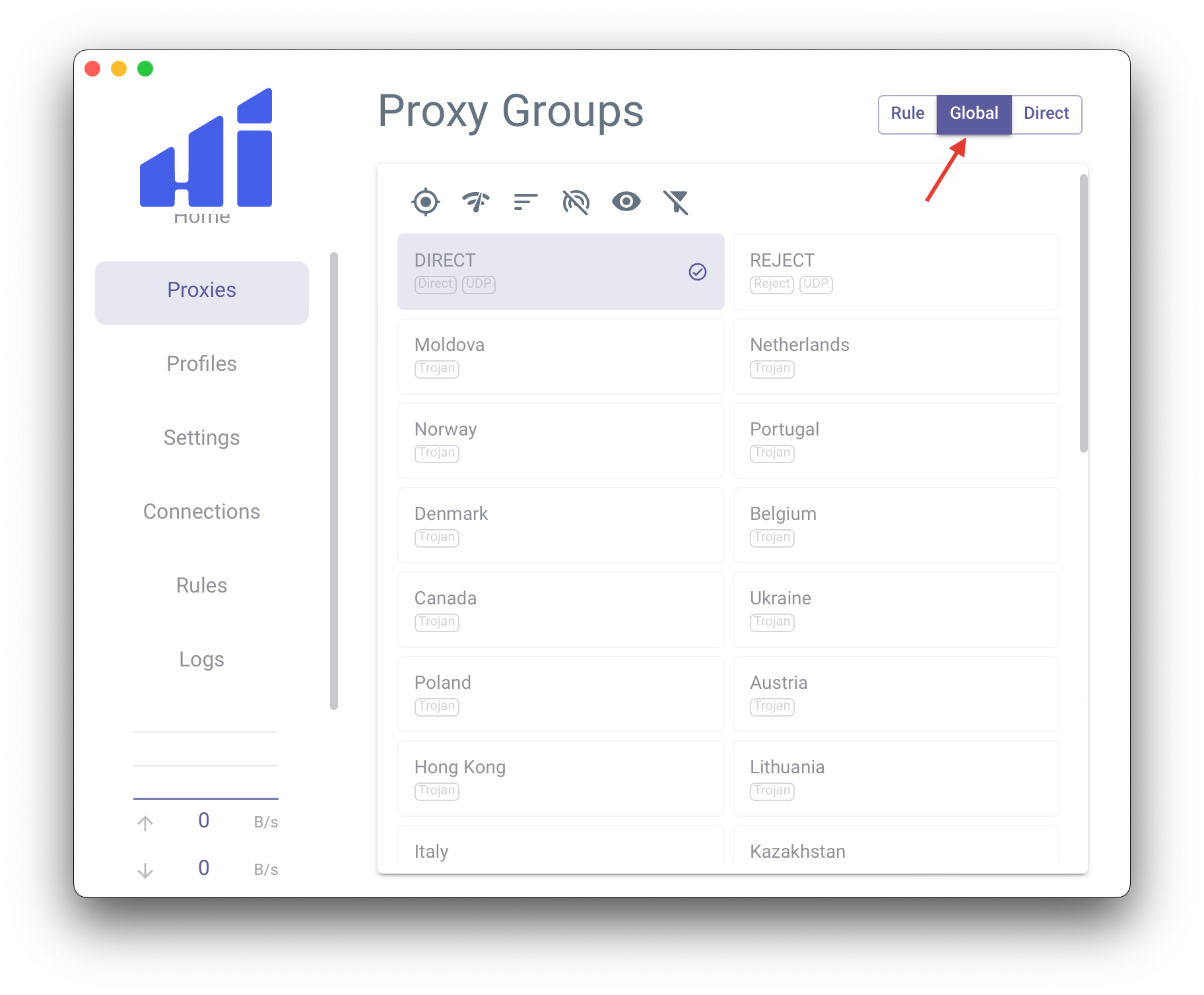
Selecting the routing mode
Select specific server and check VPN connection.
Please note. Servers include DIRECT and REJECT.
DIRECT - a policy where traffic is sent directly, bypassing the VPN server.
REJECT - a policy that blocks all network traffic.
When VPN is not needed, you can simply select DIRECT instead of disabling the program.
- To check if your VPN is working, you can open: https://www.whatismyip.com/
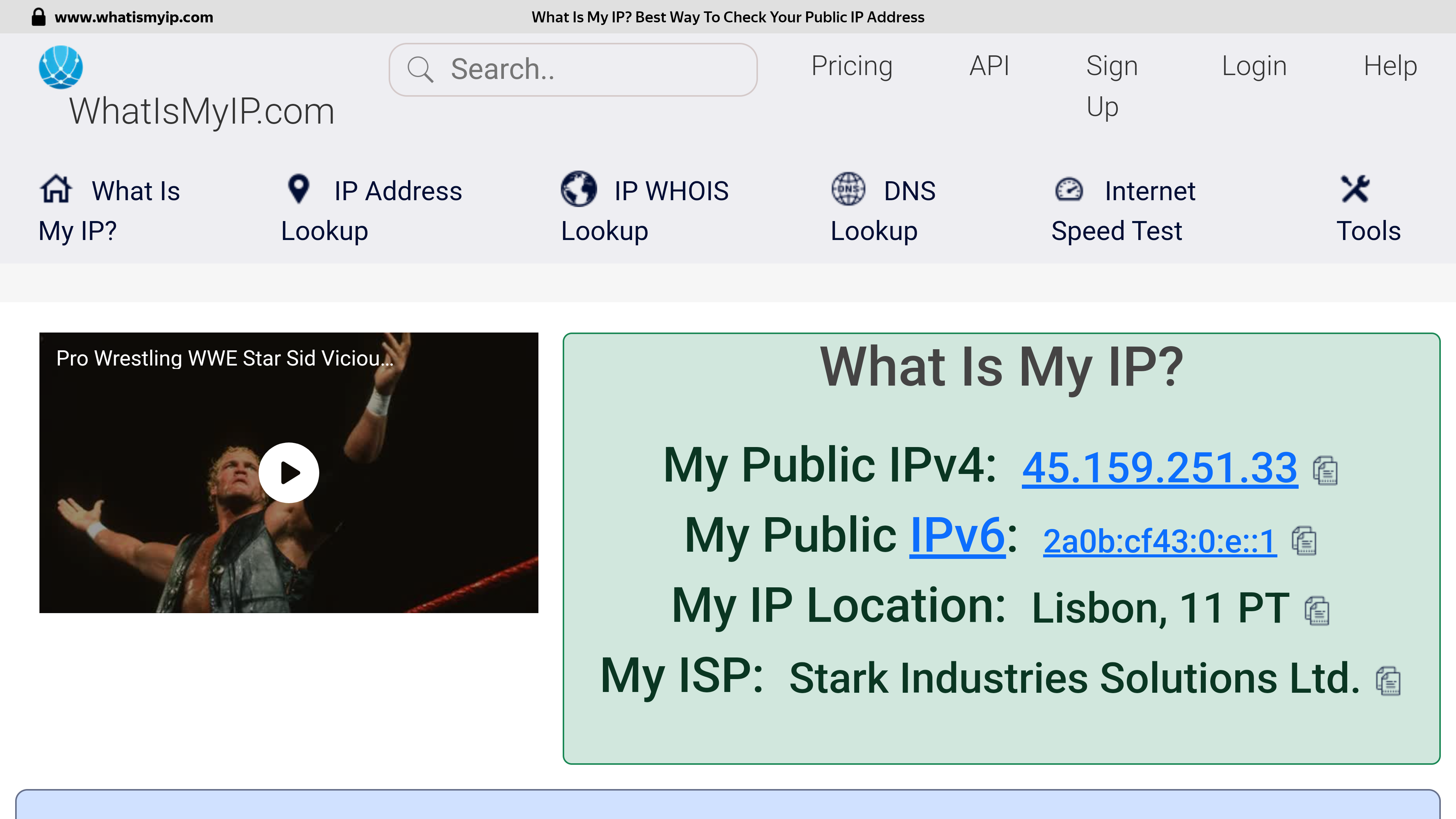
Checking the address after connecting to a VPN server in Portugal
Please note. The best performance is achieved when using a wired connection. The speed is affected by the geographical distance from the VPN server, the backbone internet provider channels between the check points, the current channel load at your Internet provider and the VPN server, the tariff plan of your Internet connection and other factors that cannot be influenced from the outside.
If selected location is unstable, just try to select another one to get optimal internet access.

Result of speedtest Moldova -> Netherlands: https://www.speedtest.net/result/16618694682